Jobs
Application Process
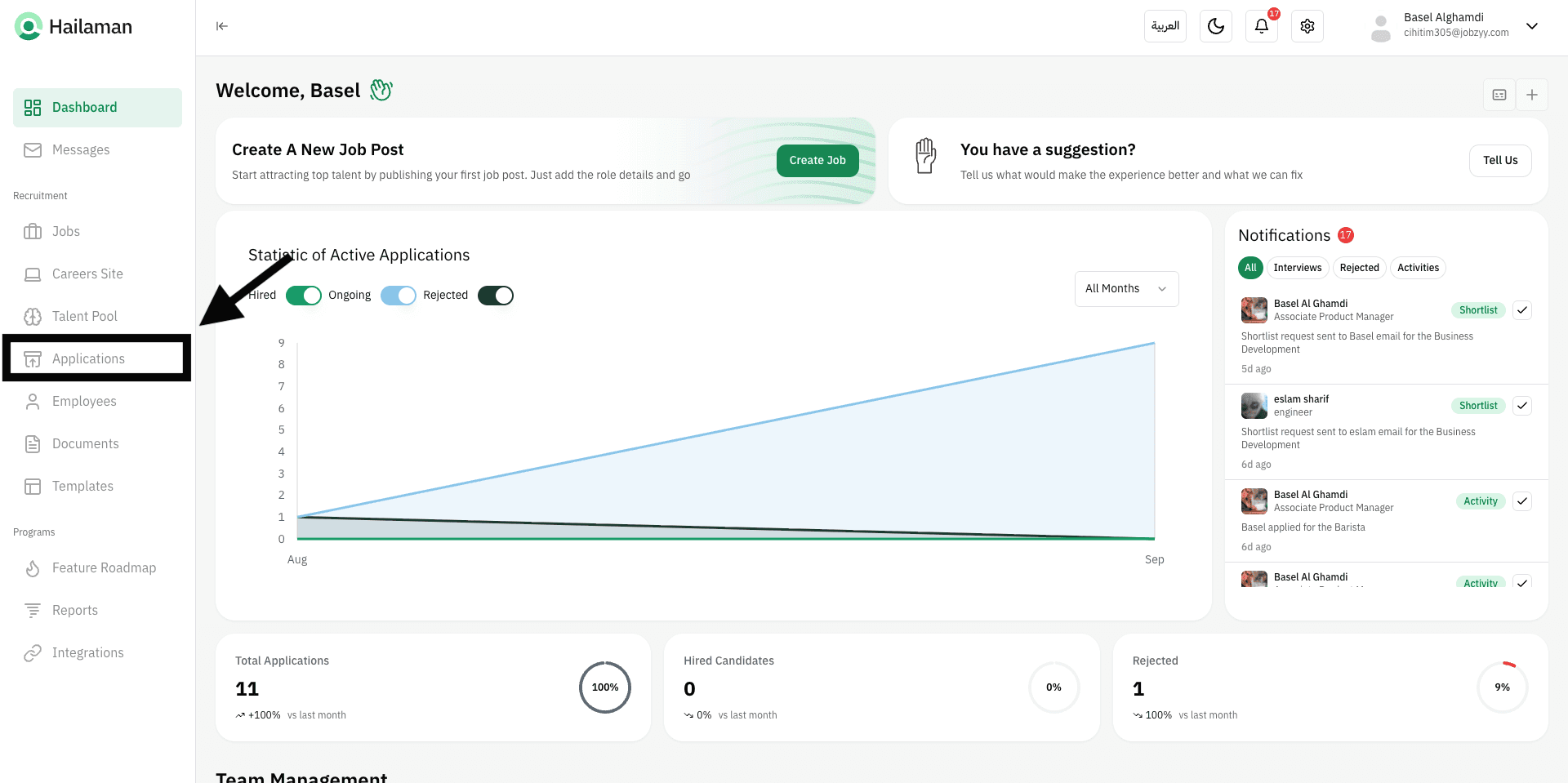
Click on “Applications” from the sidebar.
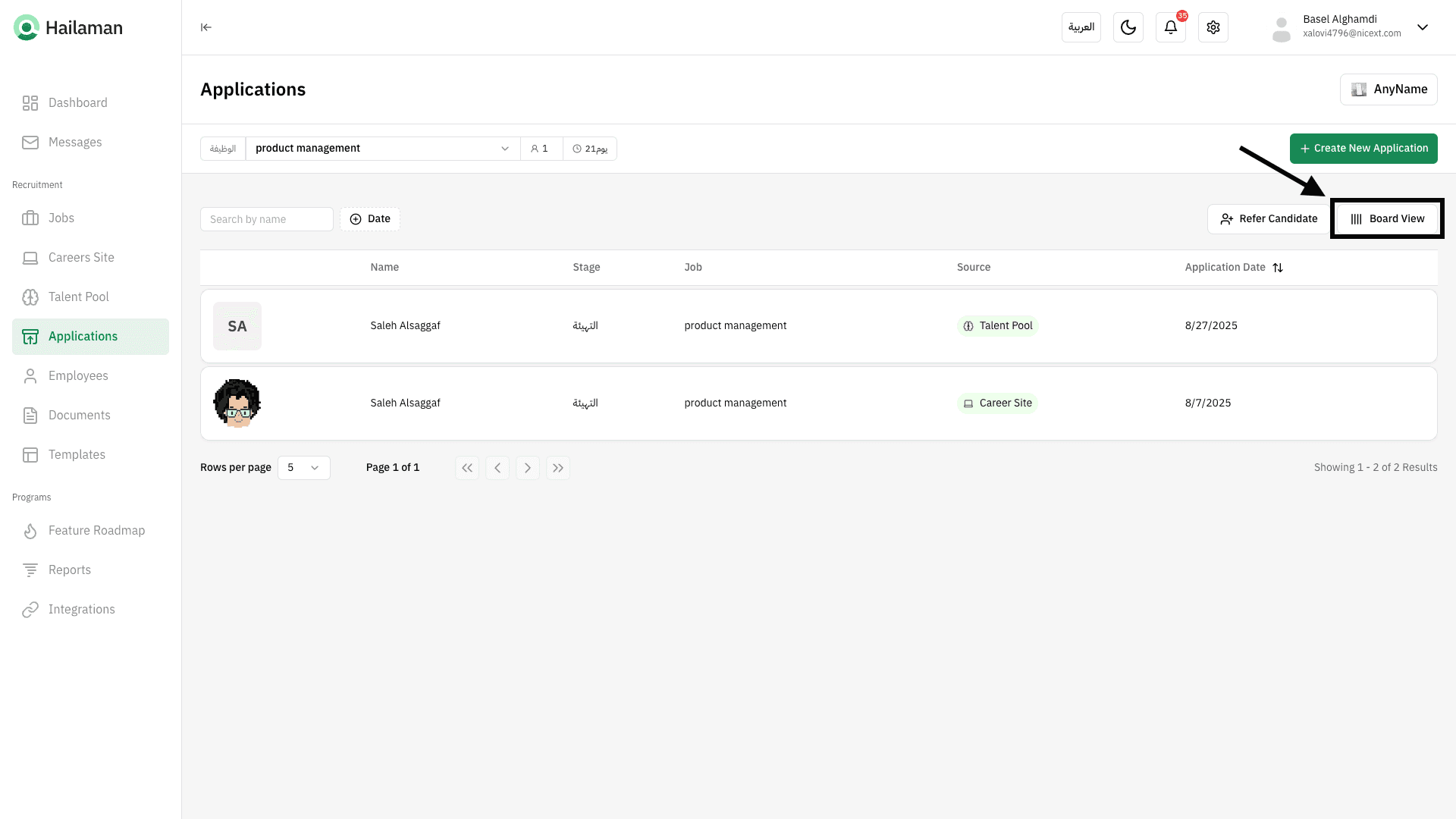
You will find all the applicants for the job along with the sources they came from.
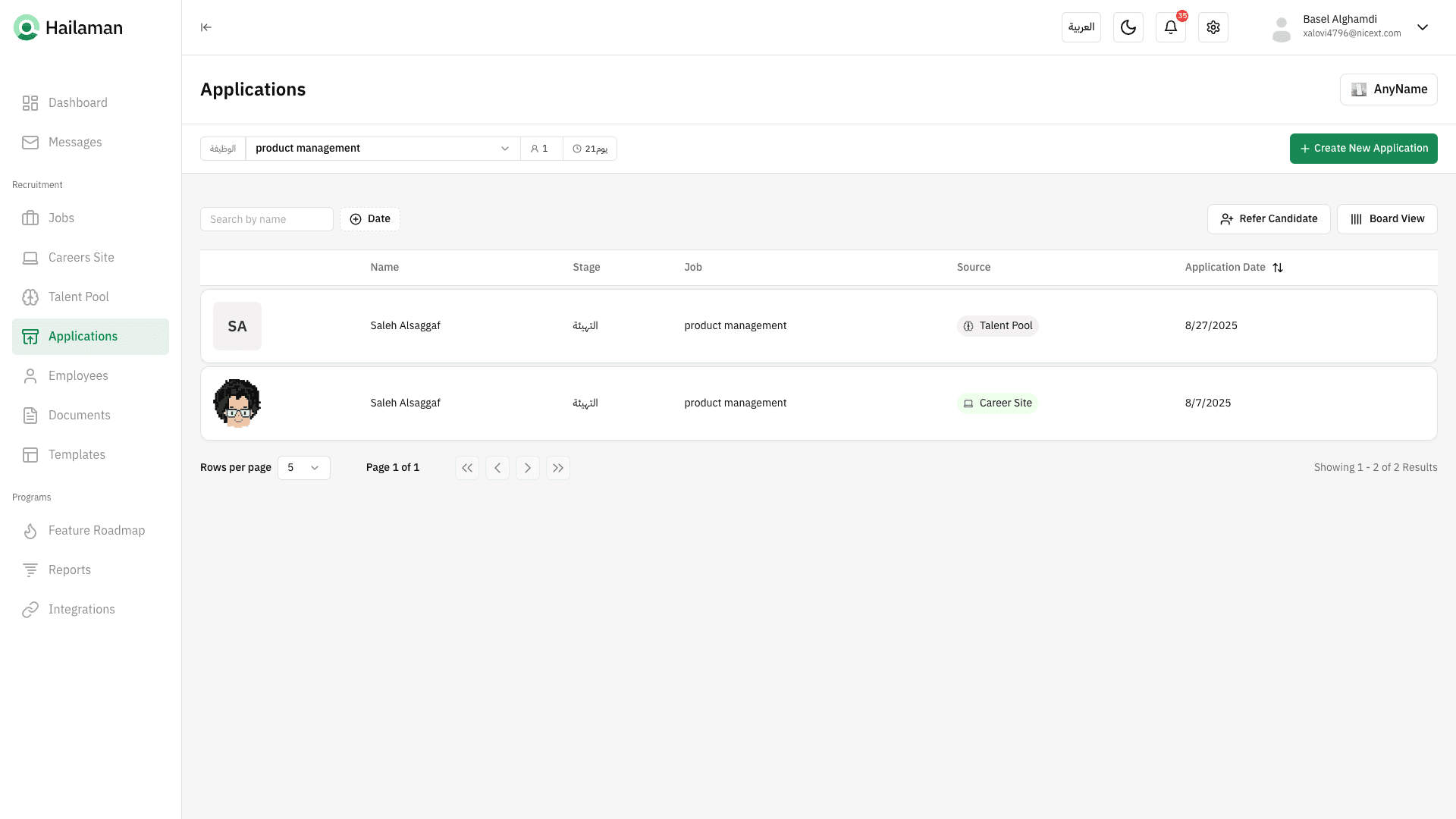
From here, you can select the job you want to track applicants for.
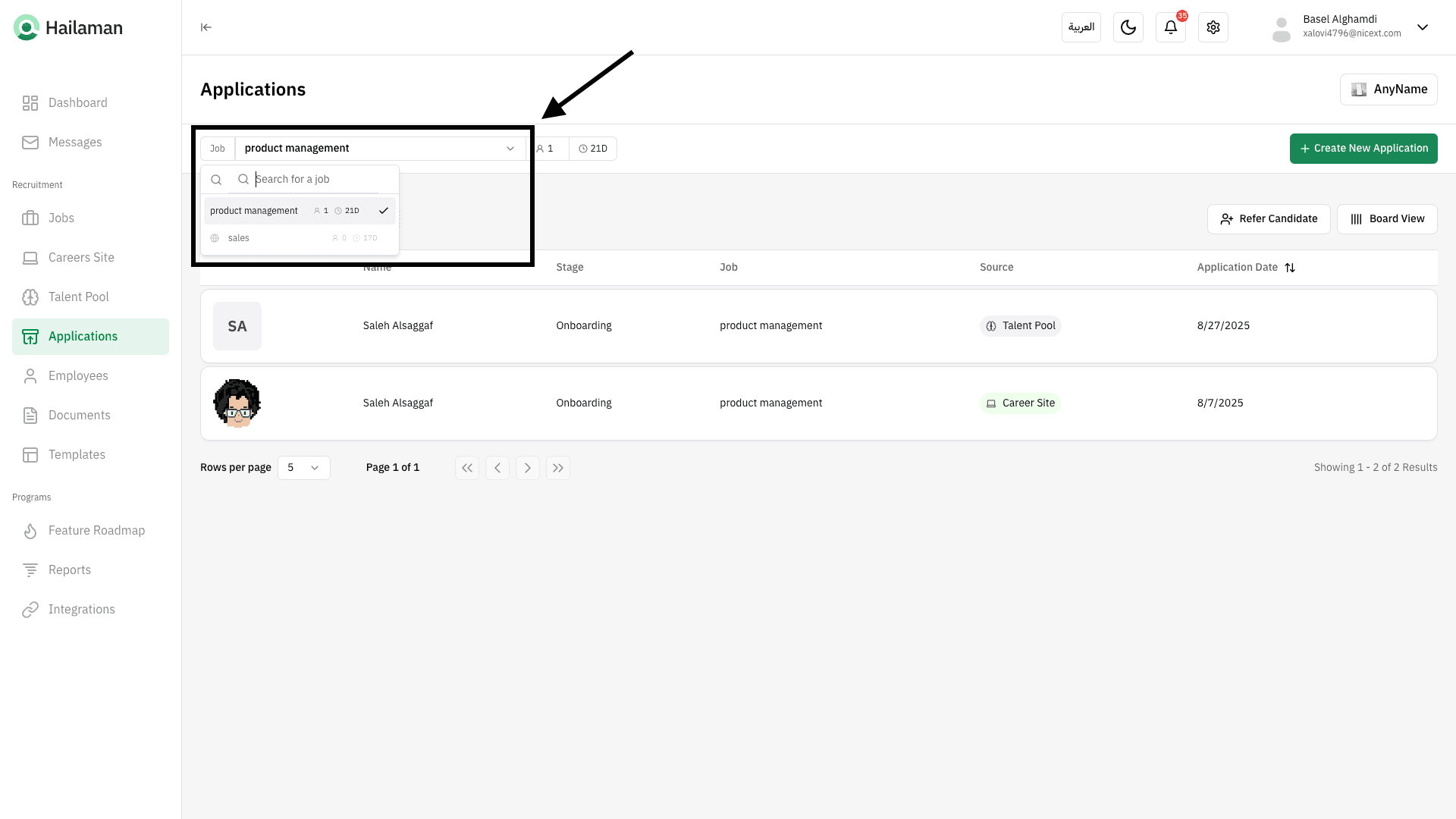
And by clicking on “View Board”, you can see the applications in a Kanban view.
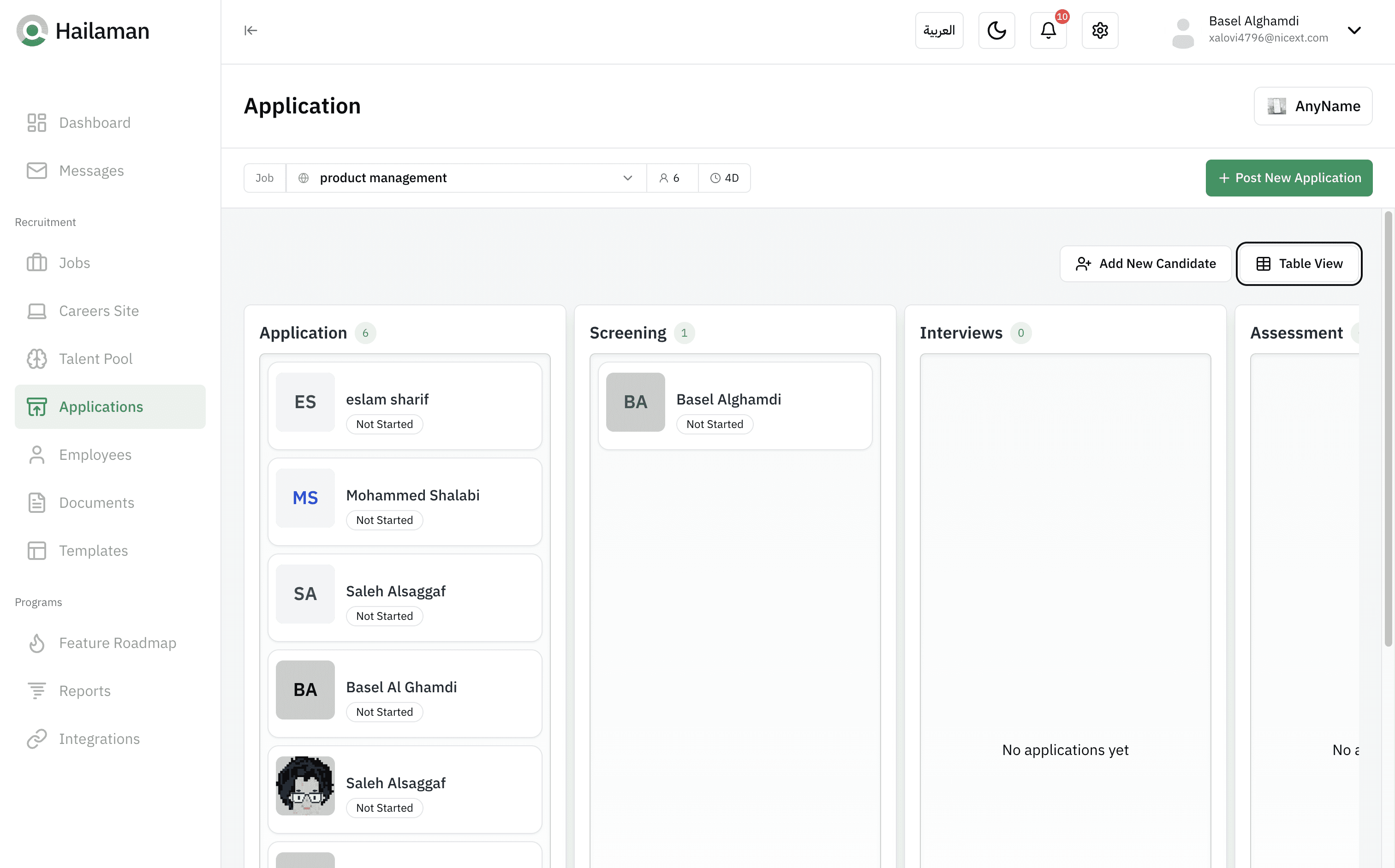
Click on the applicant’s card to view their information and move them from one stage to another in the job workflow.
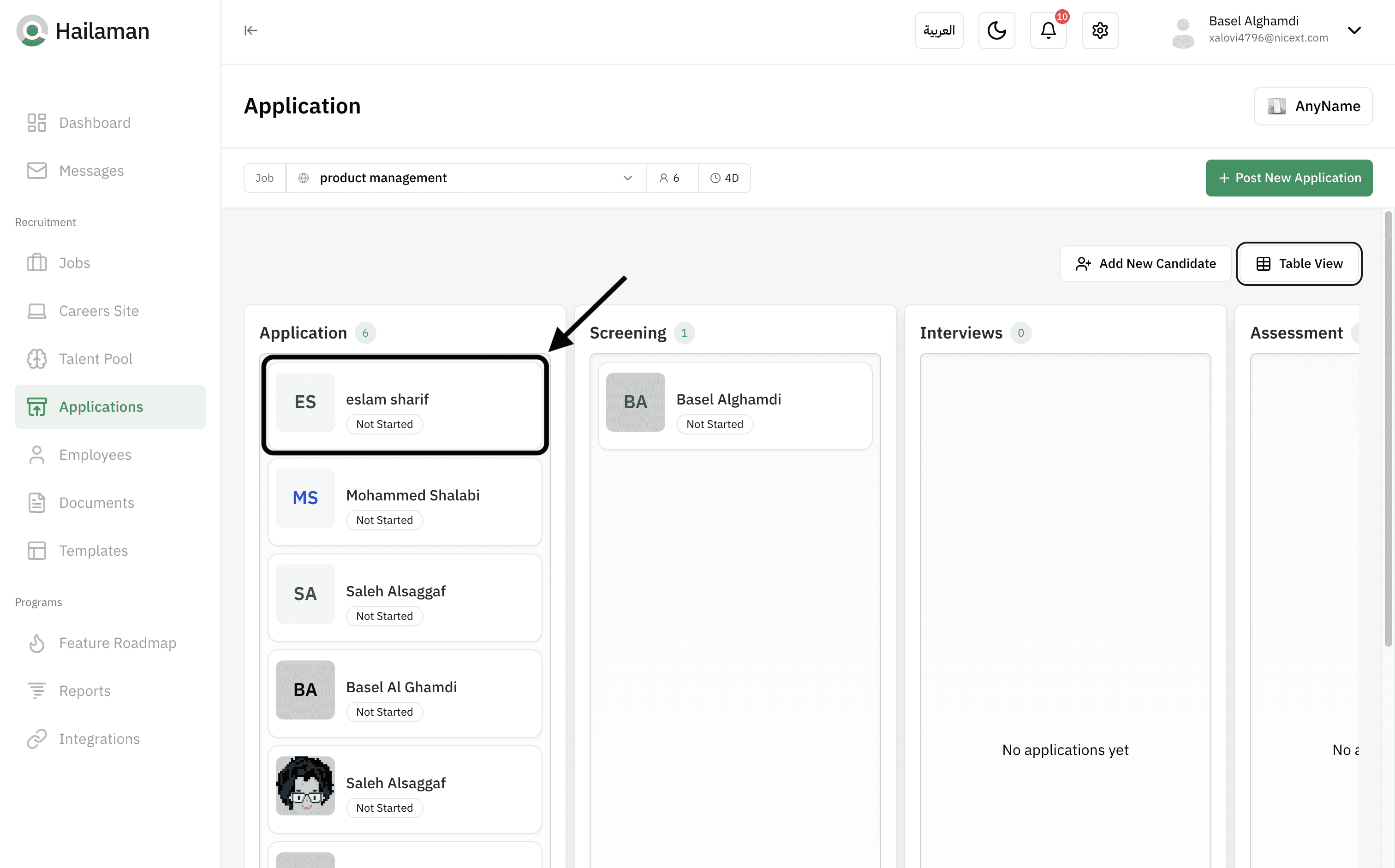
From here, you can view and access all the applicant’s data.
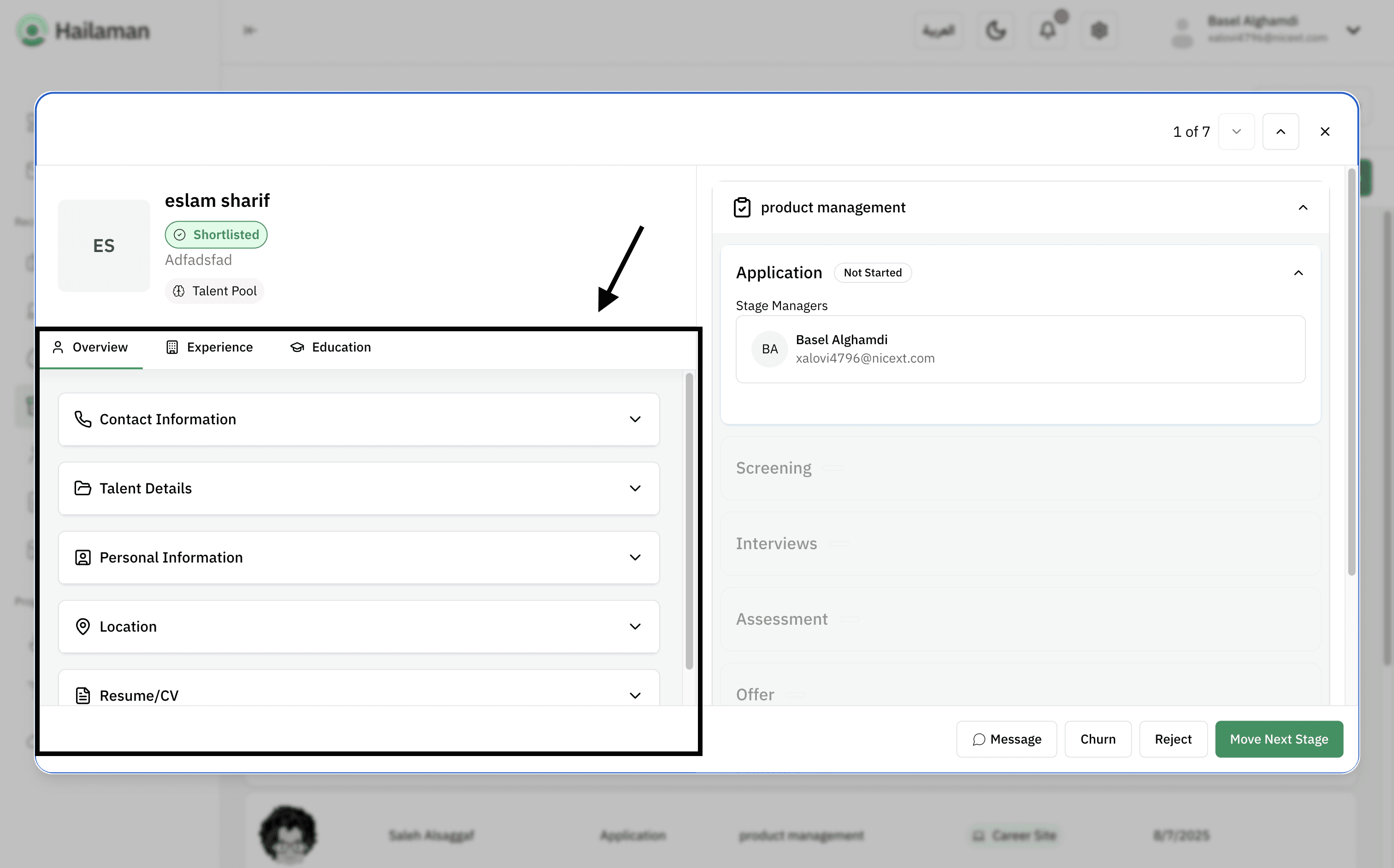
From here, all job stages are displayed, and you can edit them through the “Jobs” page.
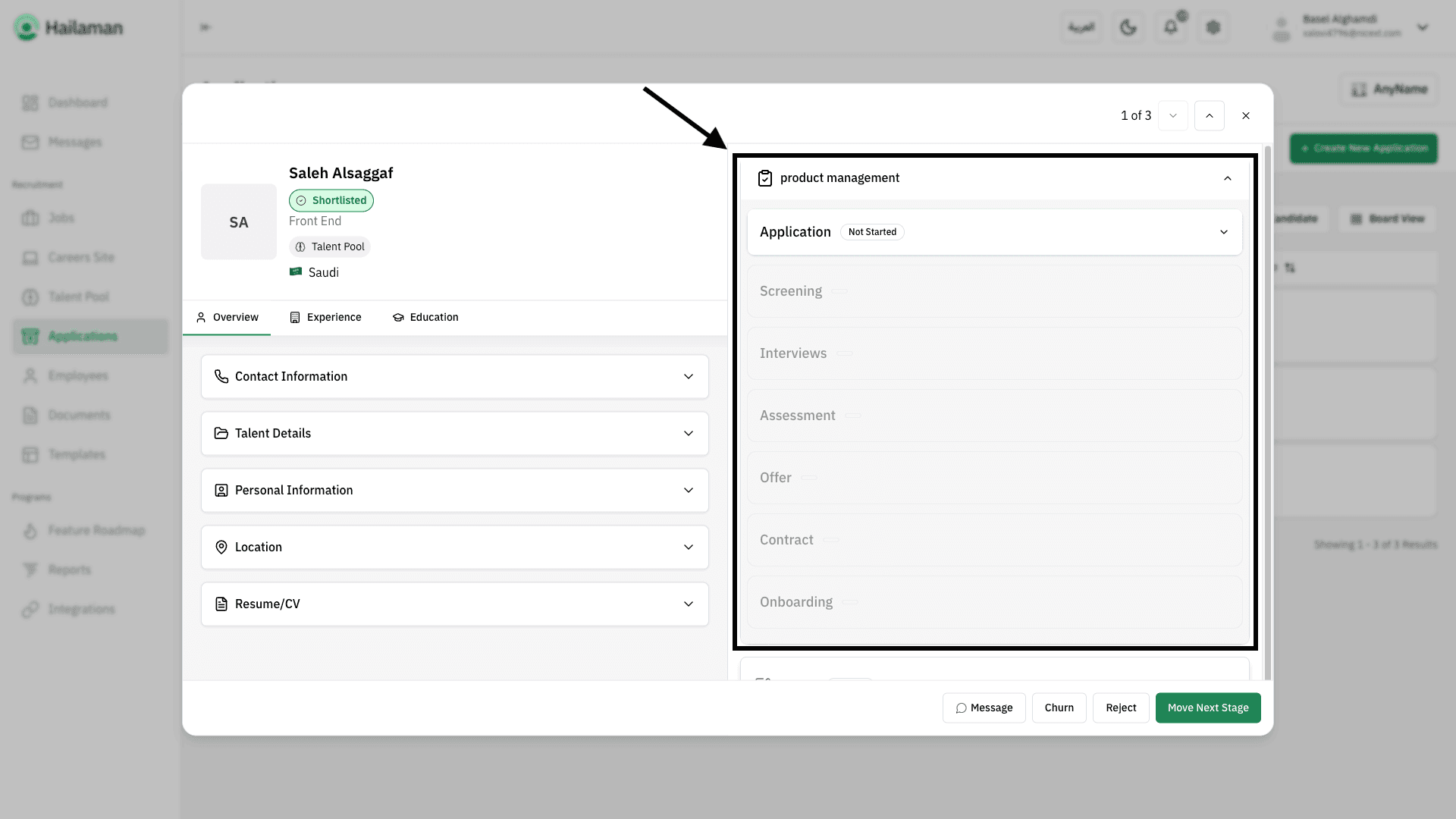
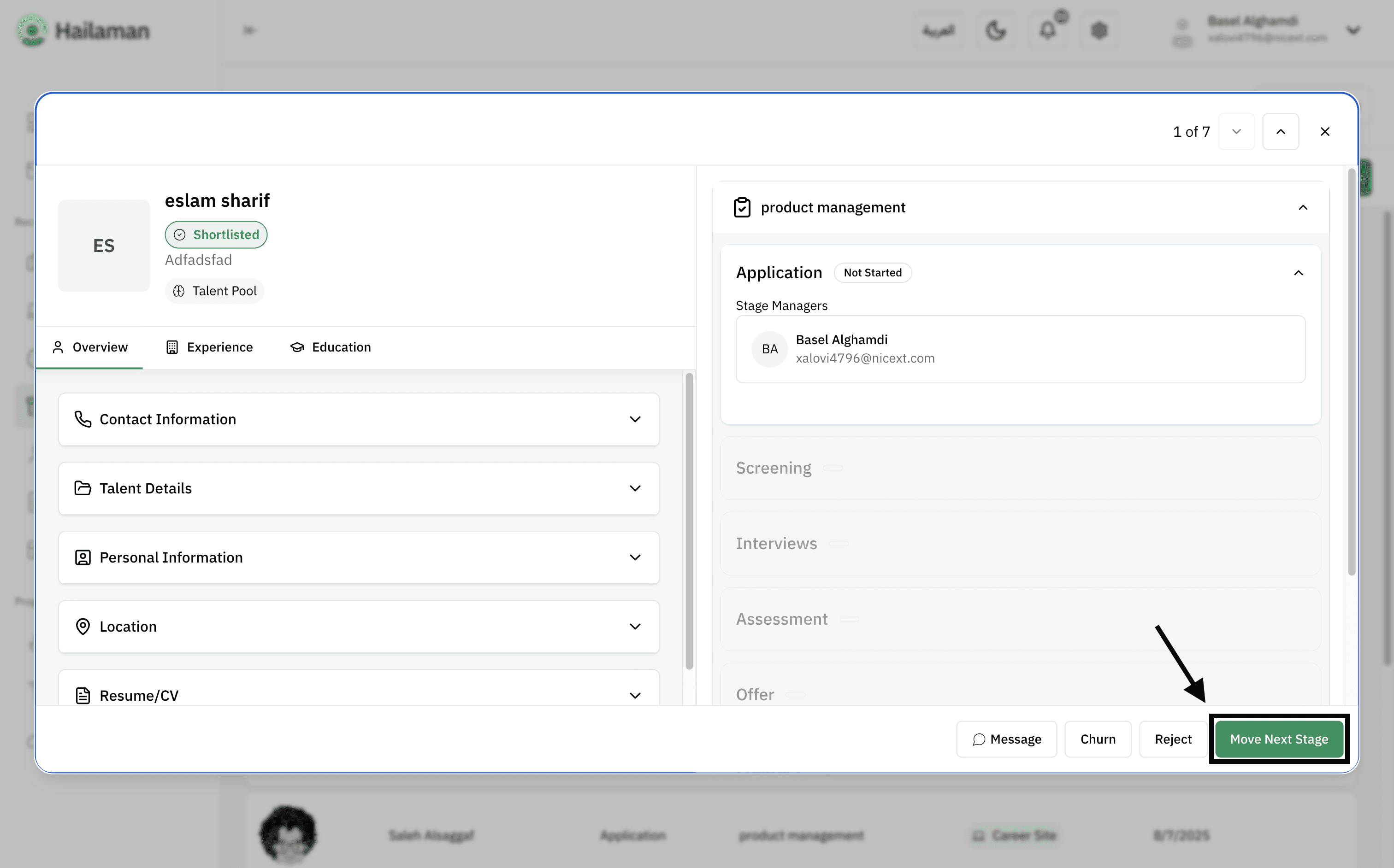
By clicking on “Move Next Stage”, you can move the applicant from the “Application” stage to the next stage.
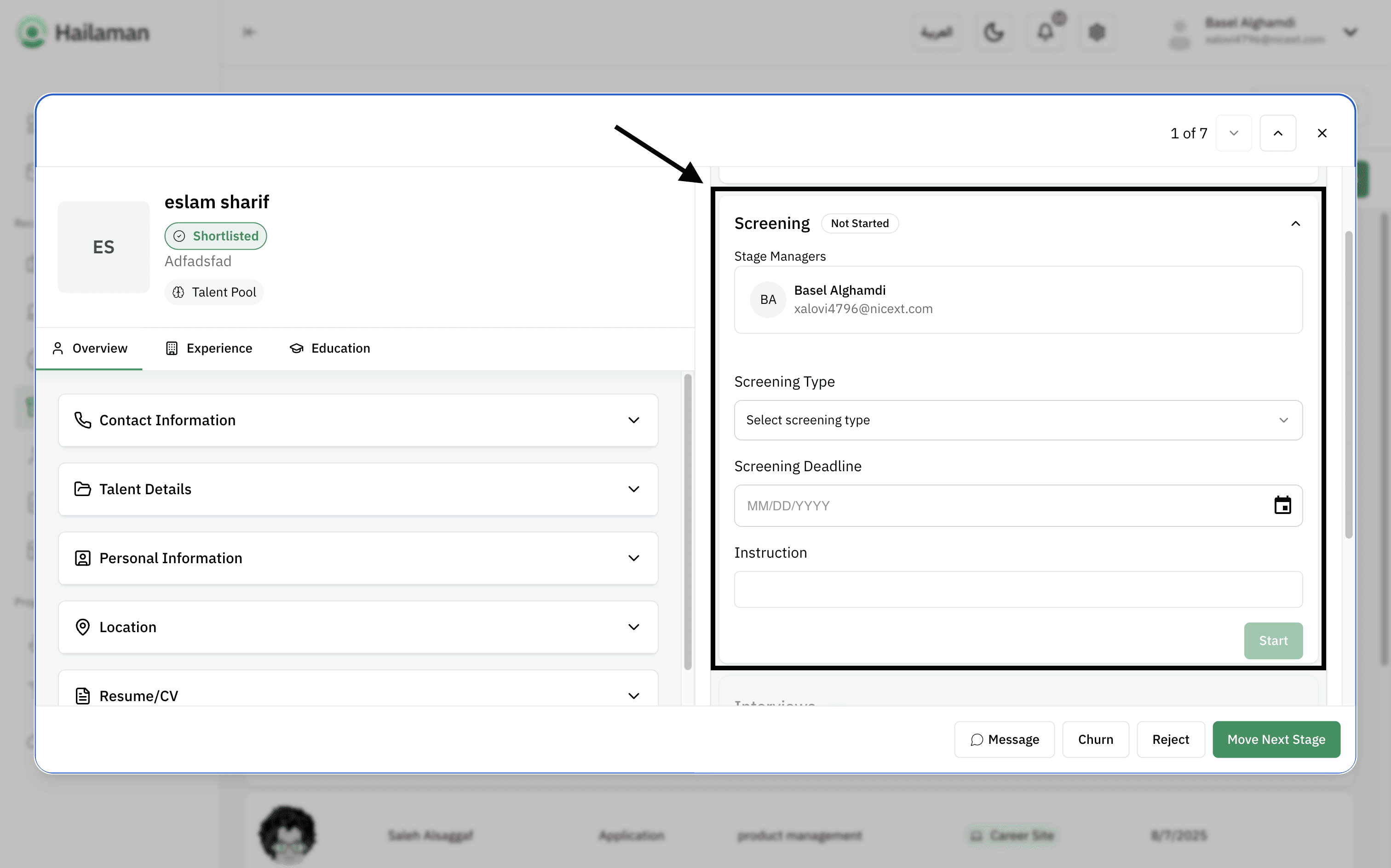
Here, you can set up the “Screening” stage for the applicant and write notes.
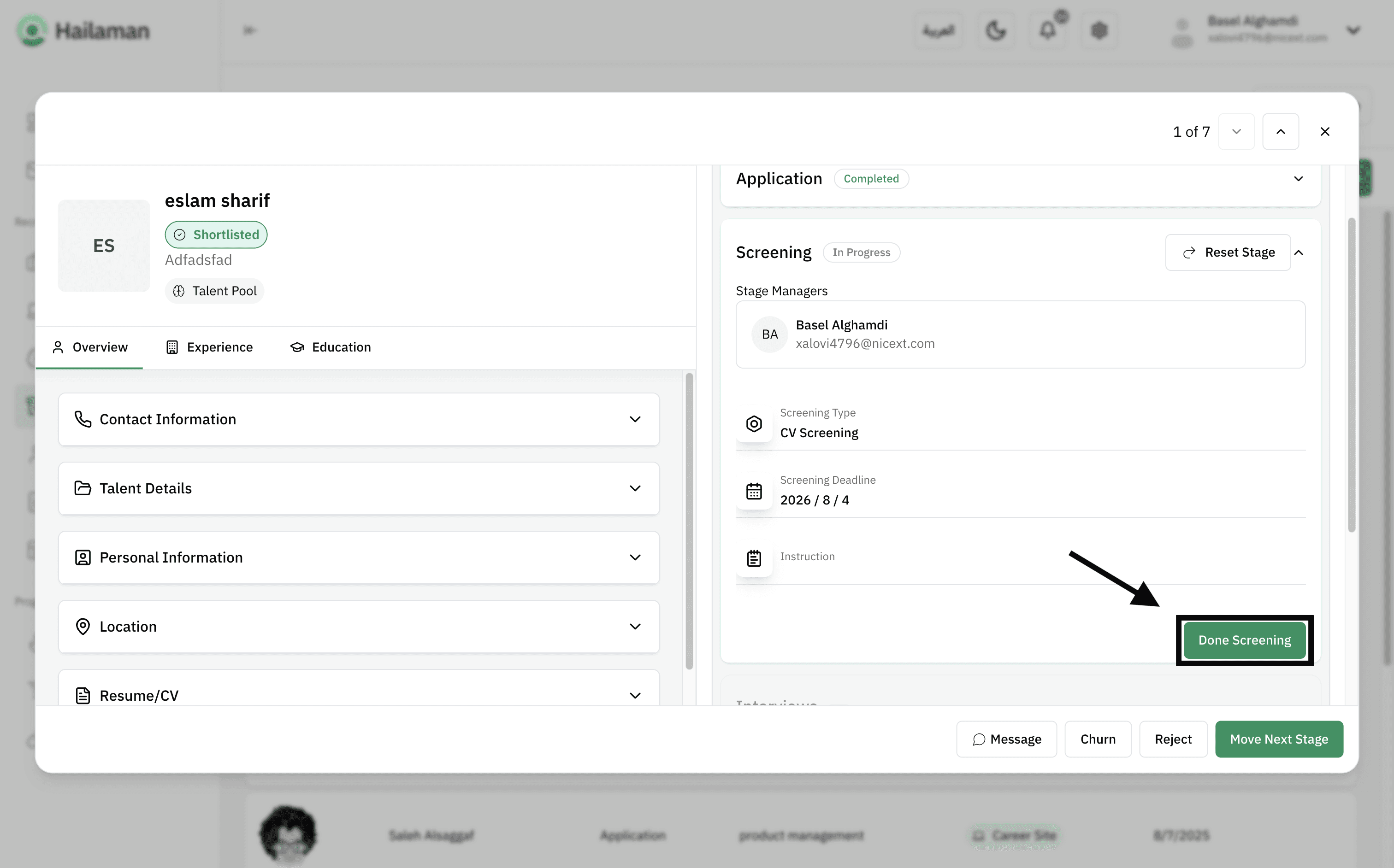
After finishing, you can click on “Done Screening” to save the changes.
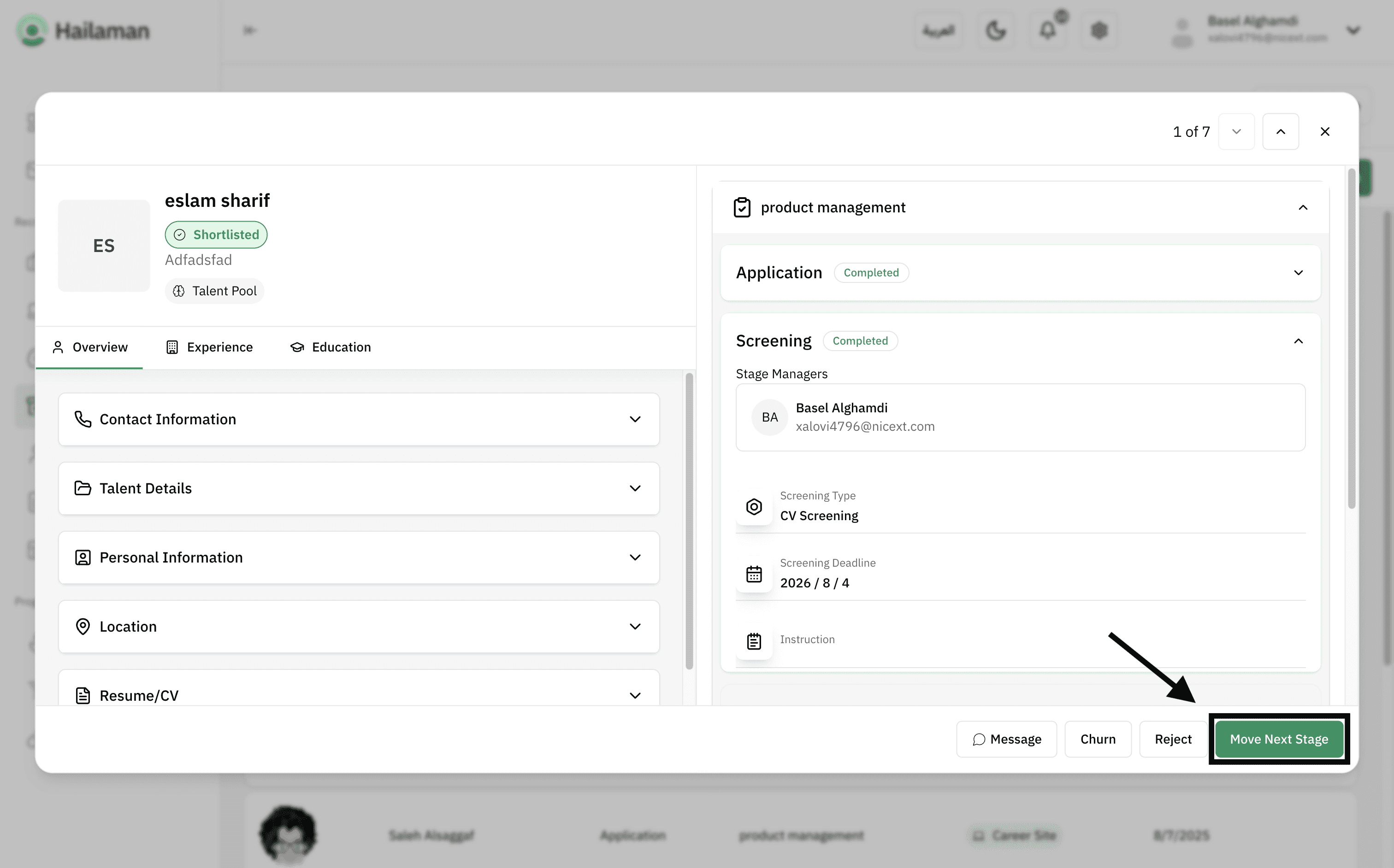
Then, by clicking on “Move Next Stage”, you can move the applicant from the “Screening” stage to the next stage.
In the “Interview” stage, you can send the interview details to the applicant.
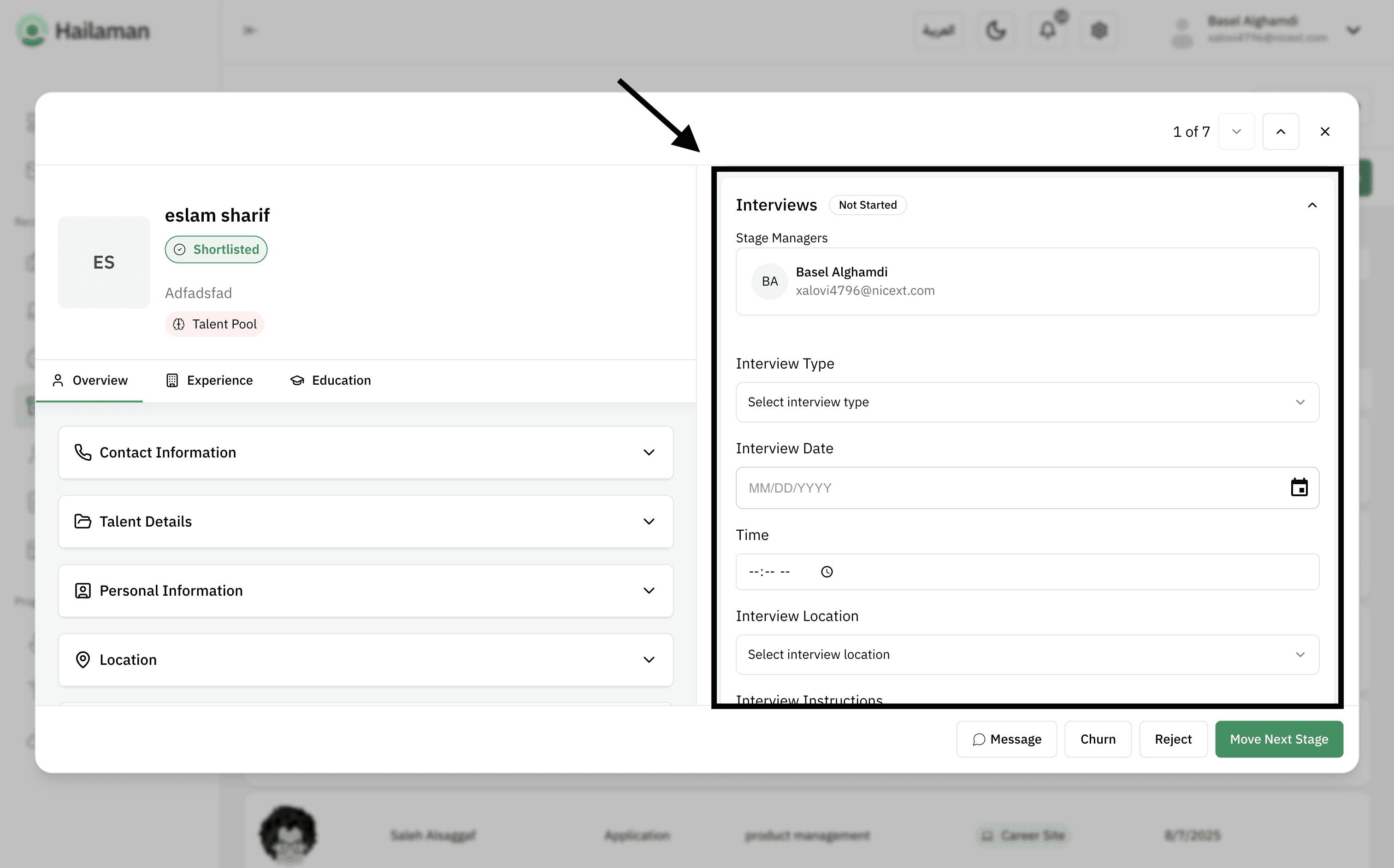
After finishing, you can click on “Done Interview” to save the changes.
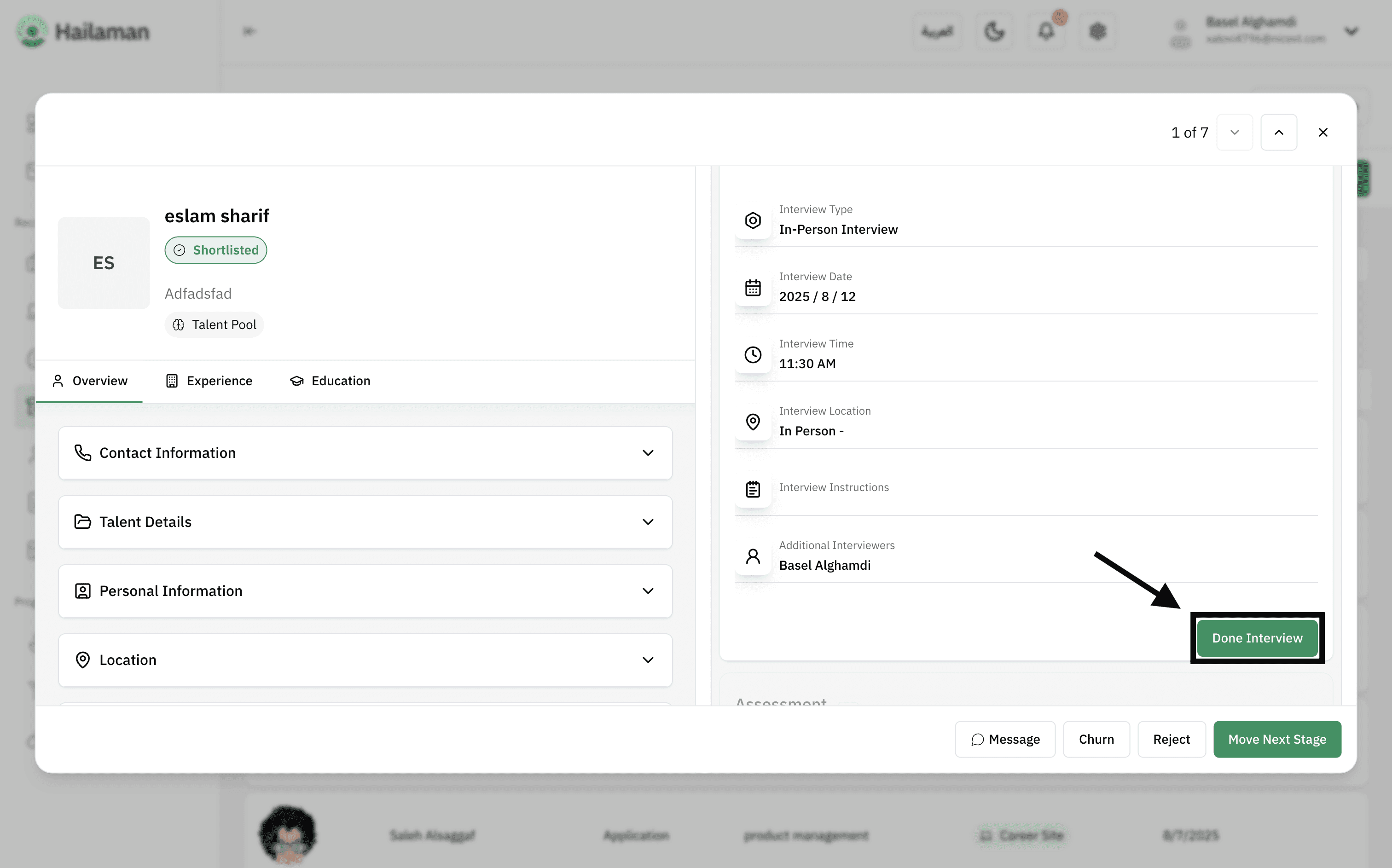
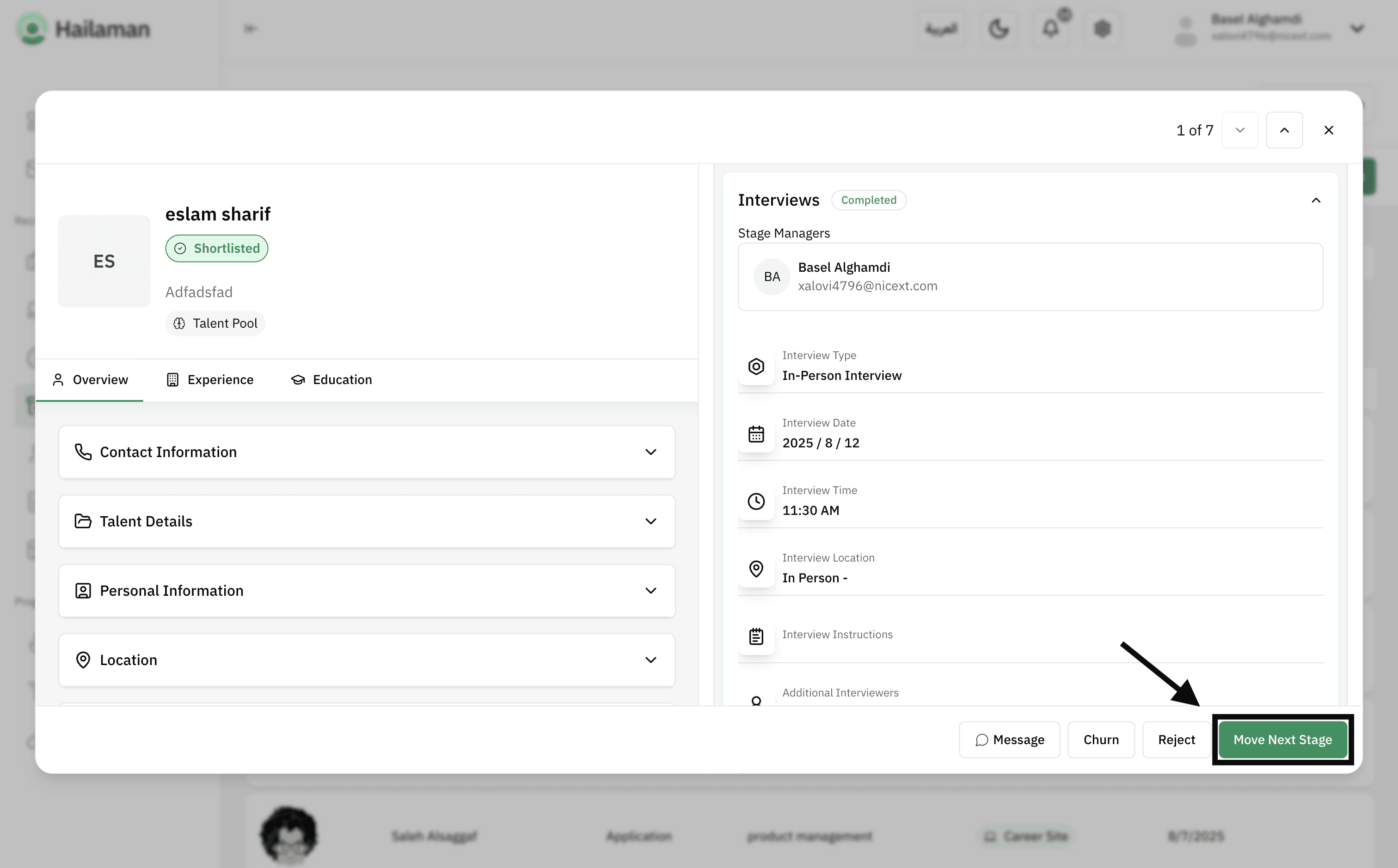
Then, by clicking on “Move Next Stage”, you can move the applicant from the “Interview” stage to the next stage.
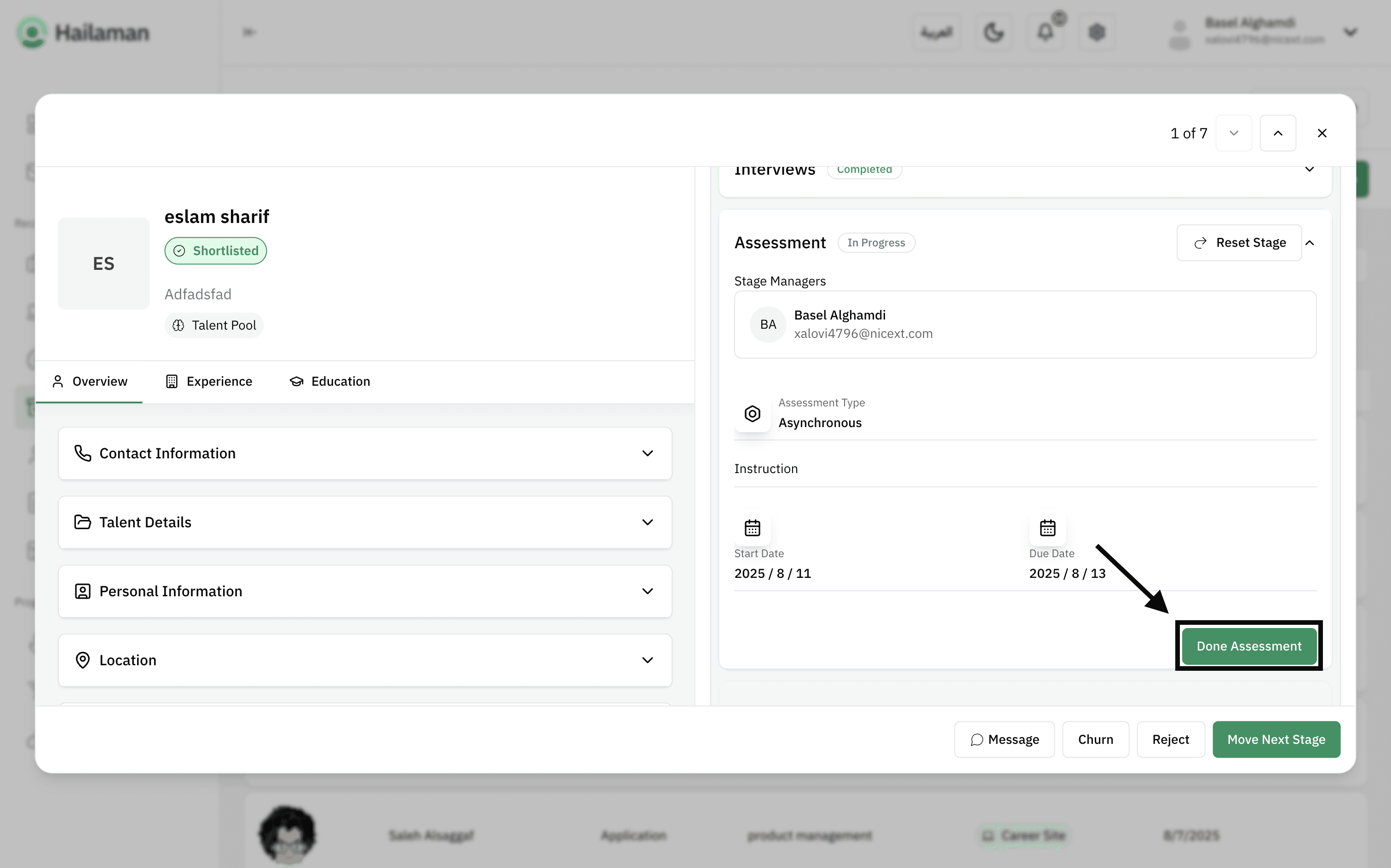
In the “Assessment” stage, you can send the assessment details you want the applicant to complete and submit.
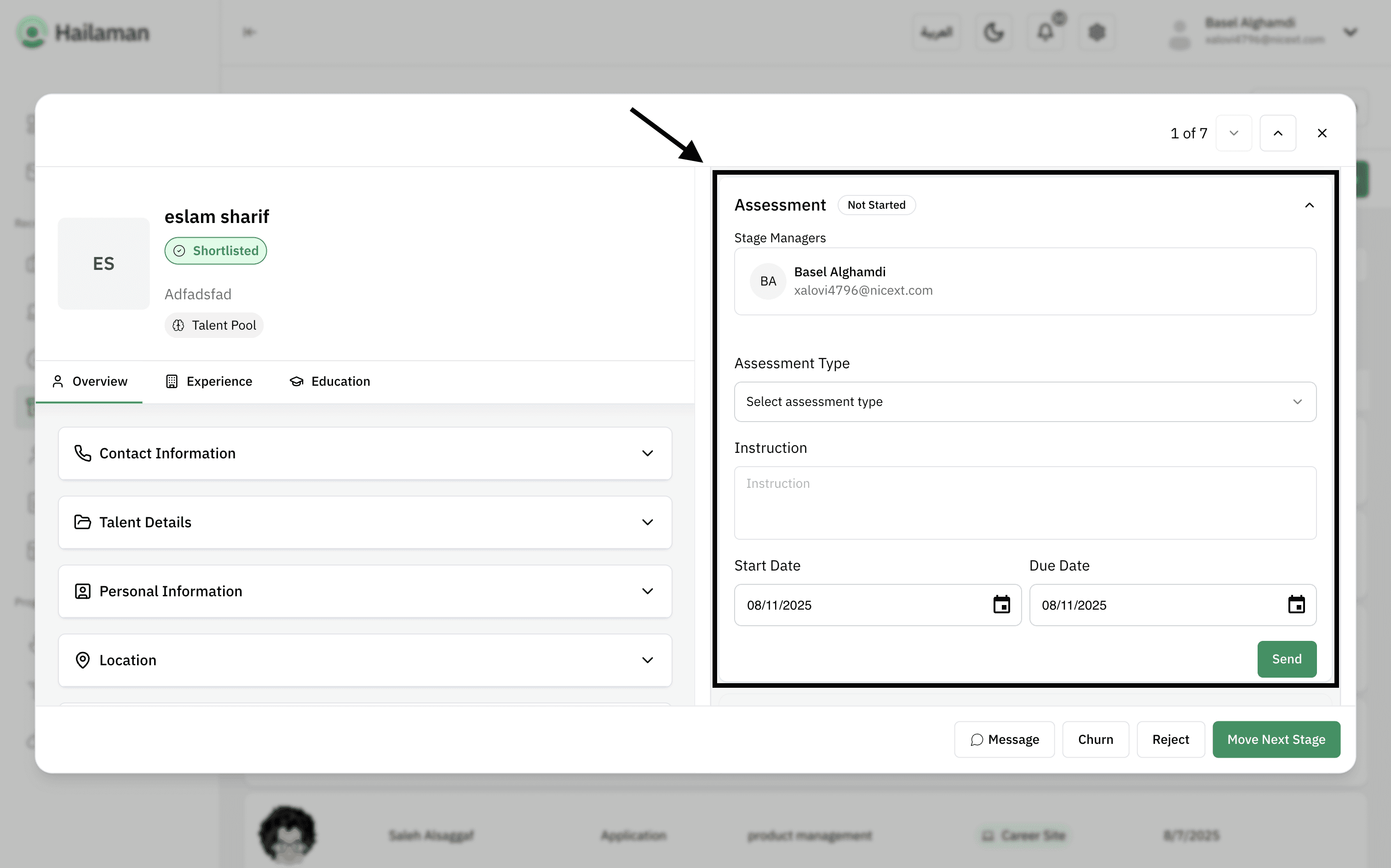
After finishing, you can click on “Done Assessment” to save the changes.
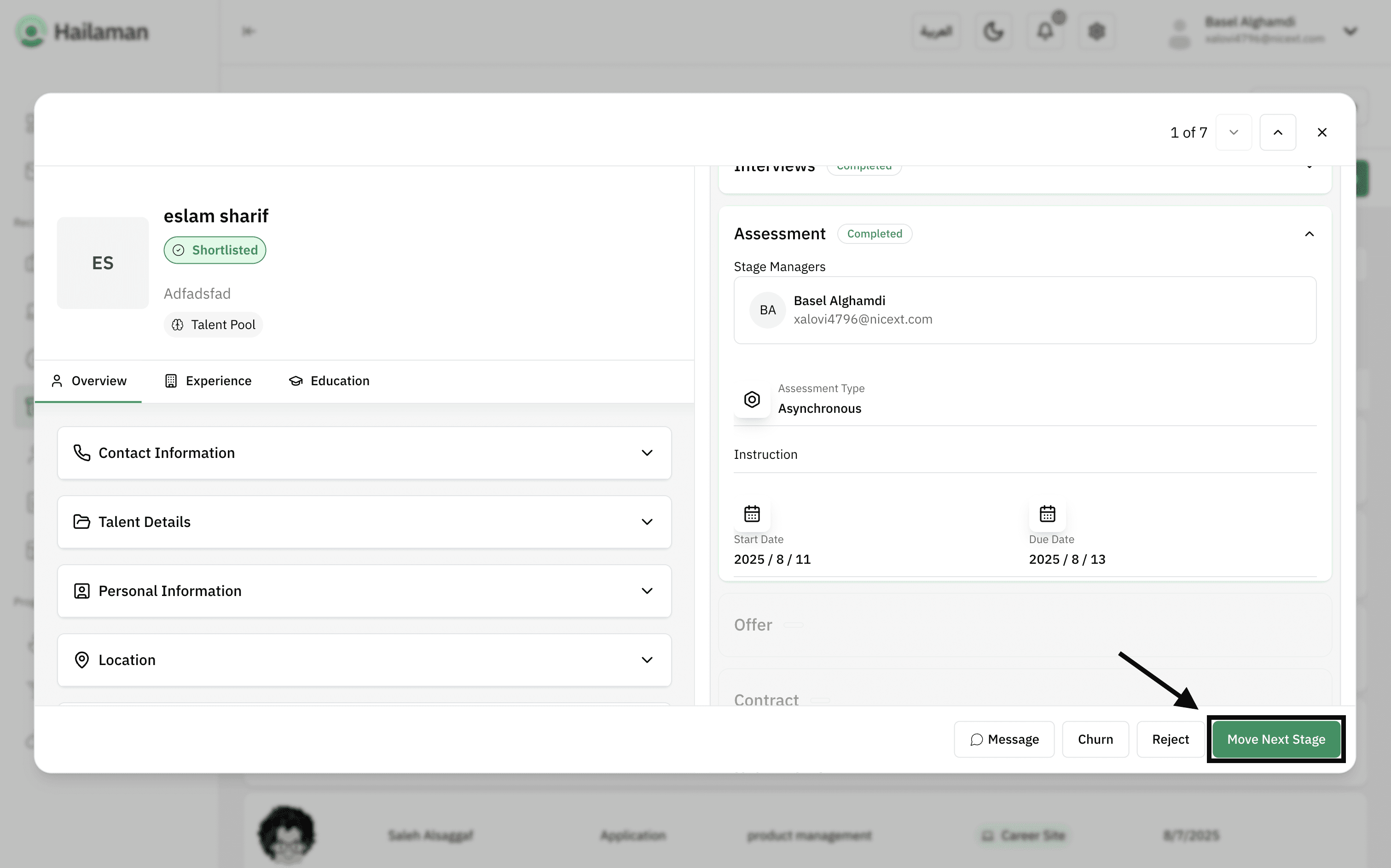
Then, by clicking on “Move Next Stage”, you can move the applicant from the “Assessment” stage to the next stage.
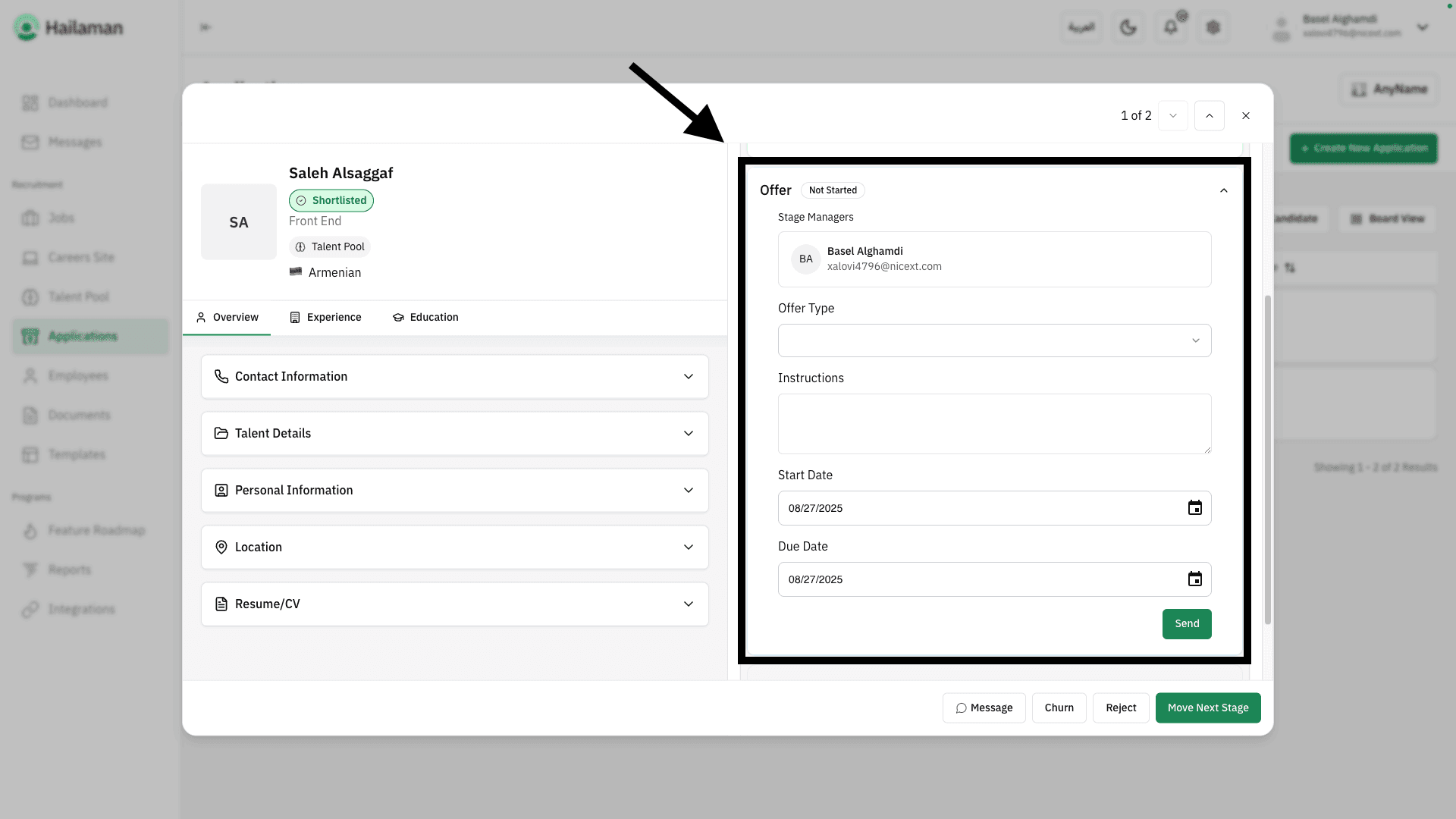
In the “Offer” stage, you can send the offer details to the applicant.
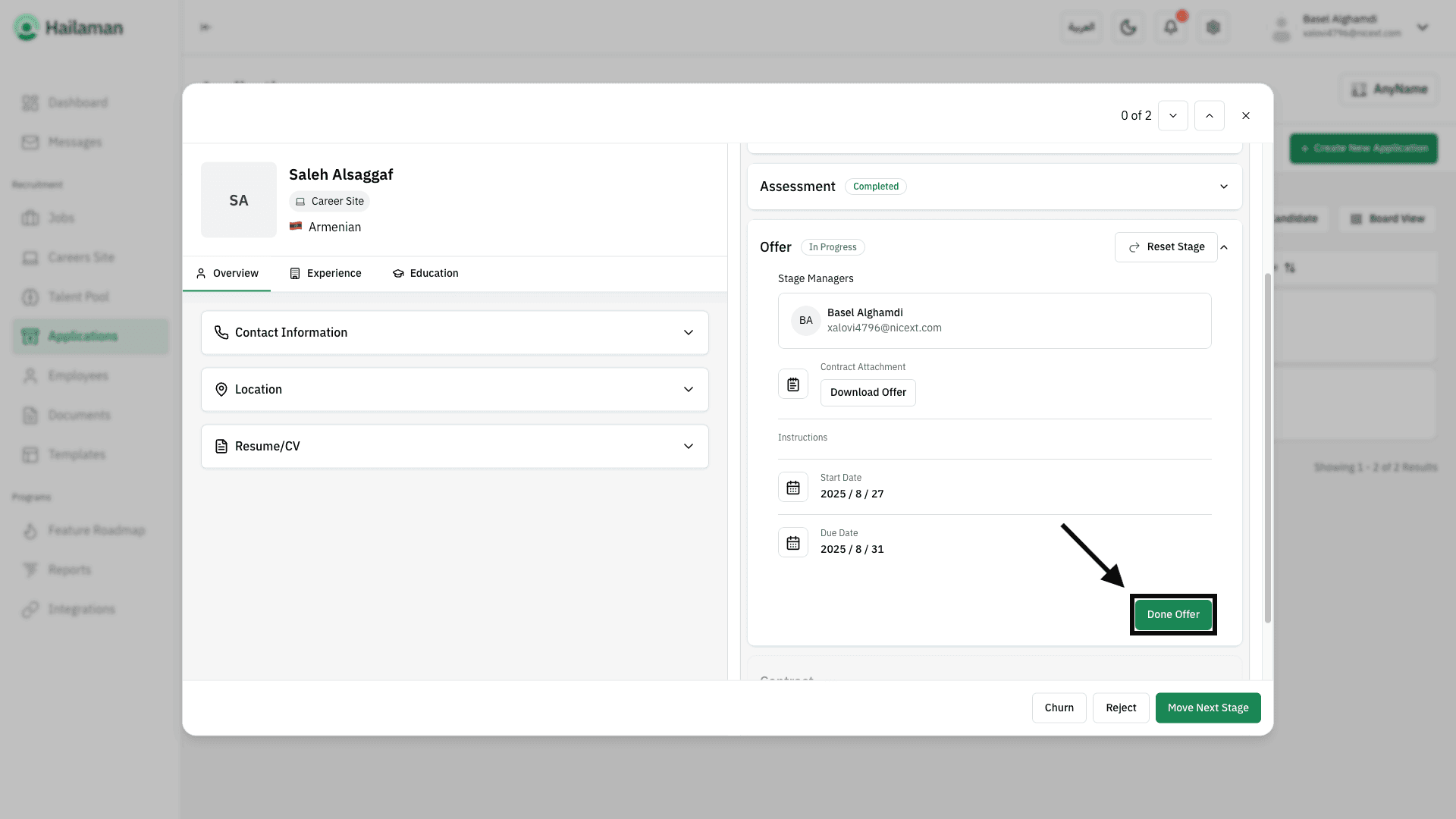
After finishing, you can click on “Done Offer” to save the changes.
Then, by clicking on “Move to Next Stage”, you can move the applicant from the “Offer” stage to the next stage.
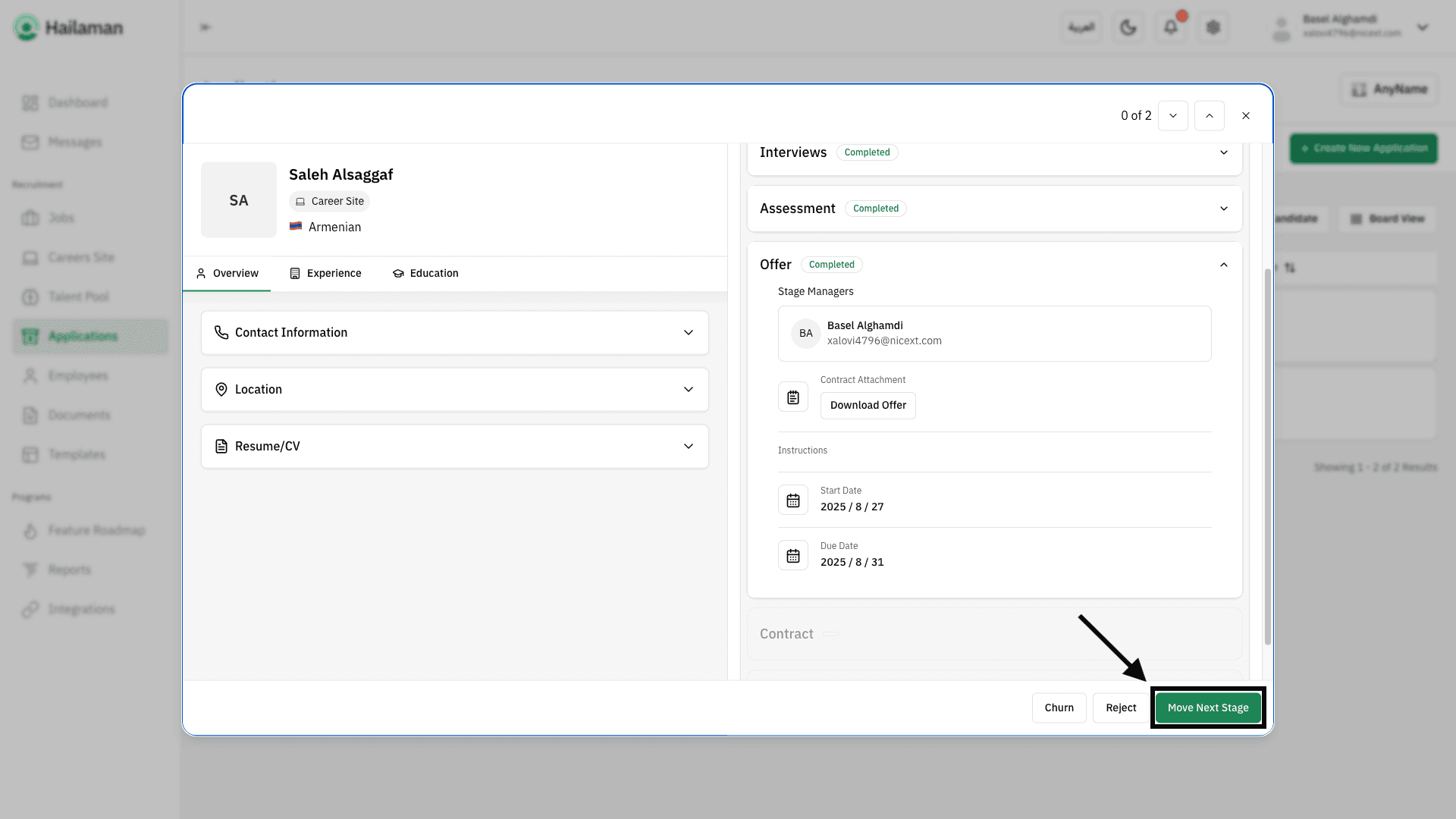
Once the applicant accepts the offer, the contract can be sent through the “Contract” stage, where you can select the platform to send it from and its specific link.
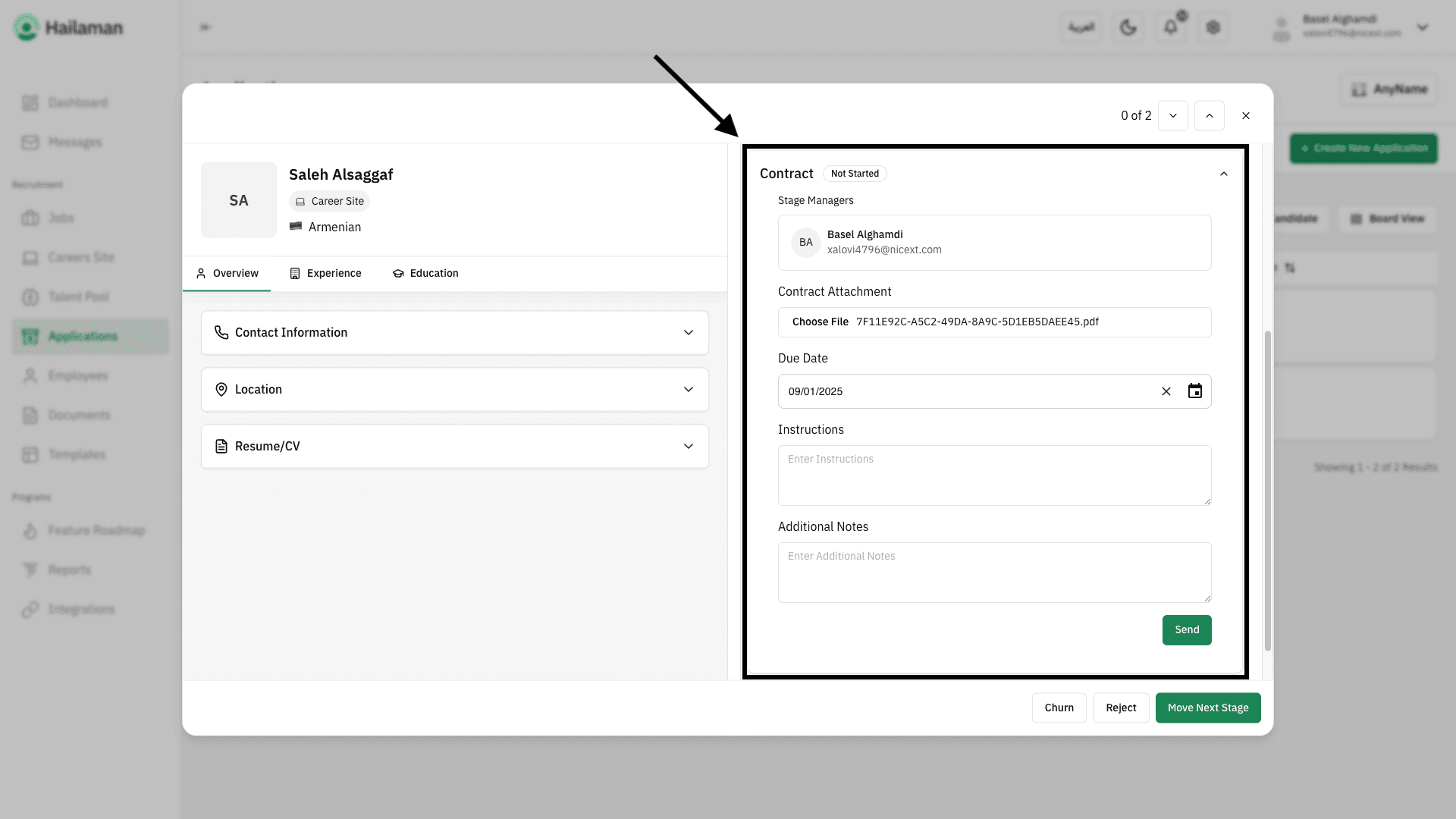
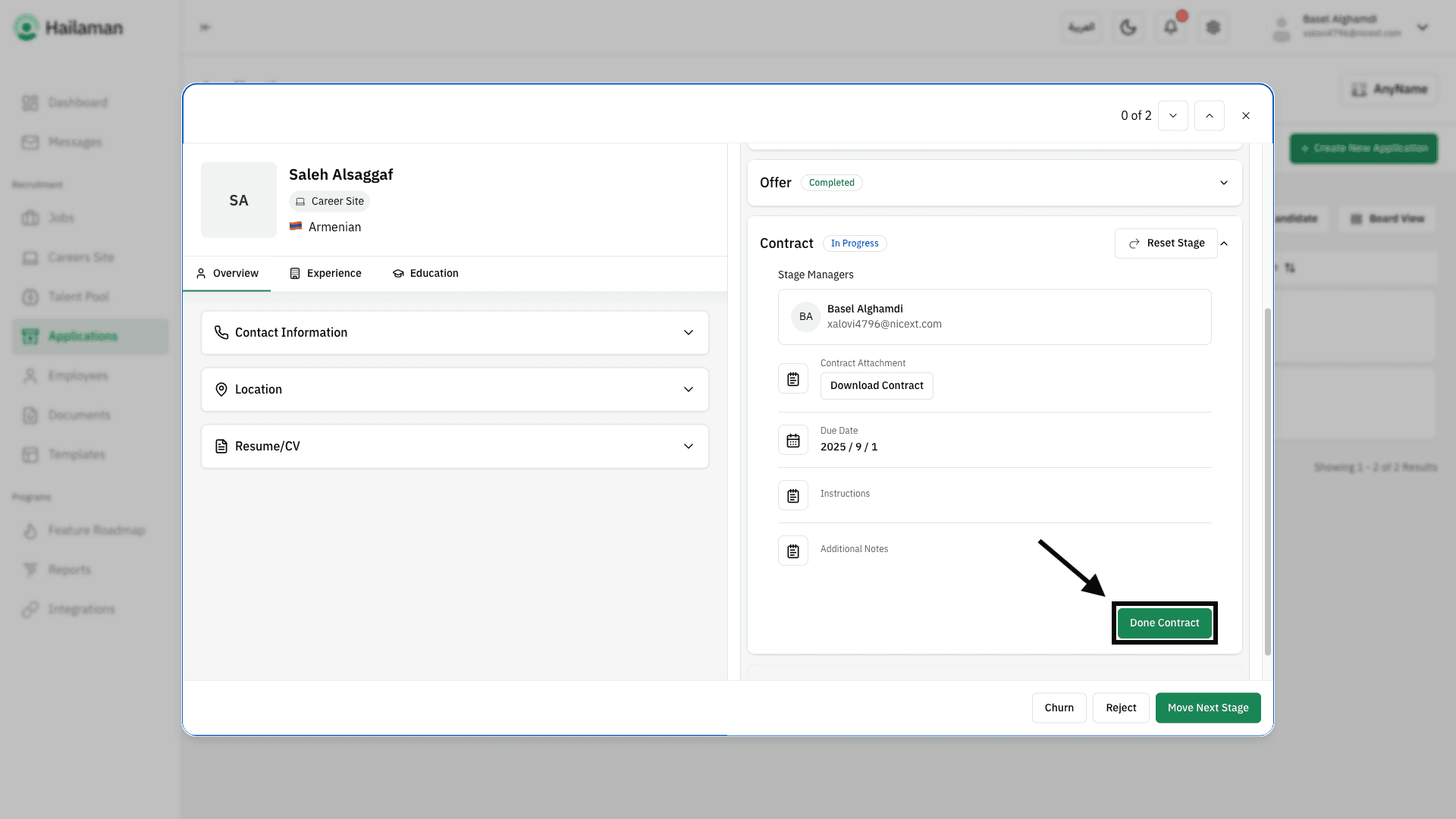
After finishing, you can click on “Done Contract” to save the changes.
Then, by clicking on “Move Next Stage”, you can move the applicant from the “Contract” stage to the next stage.
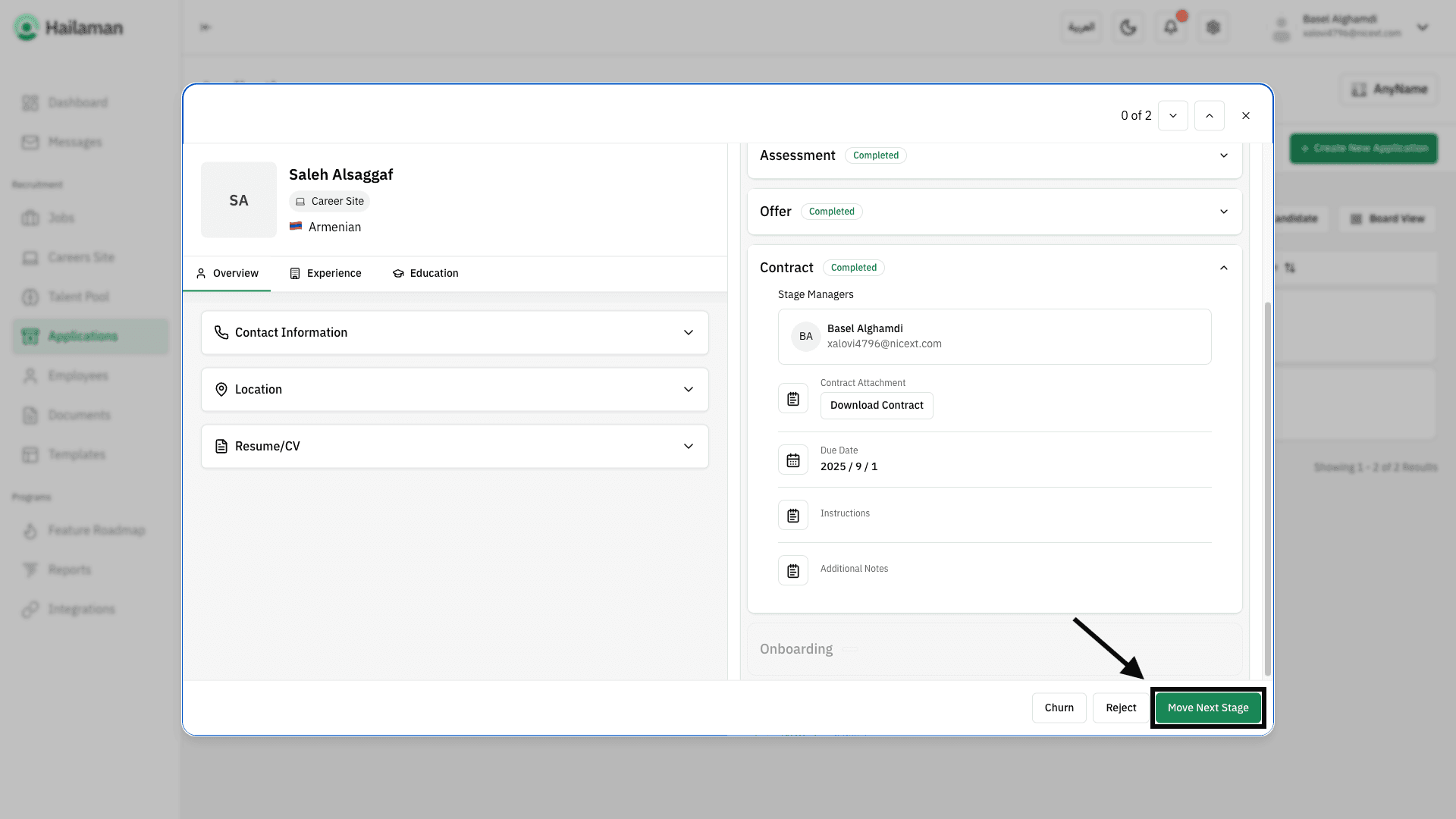
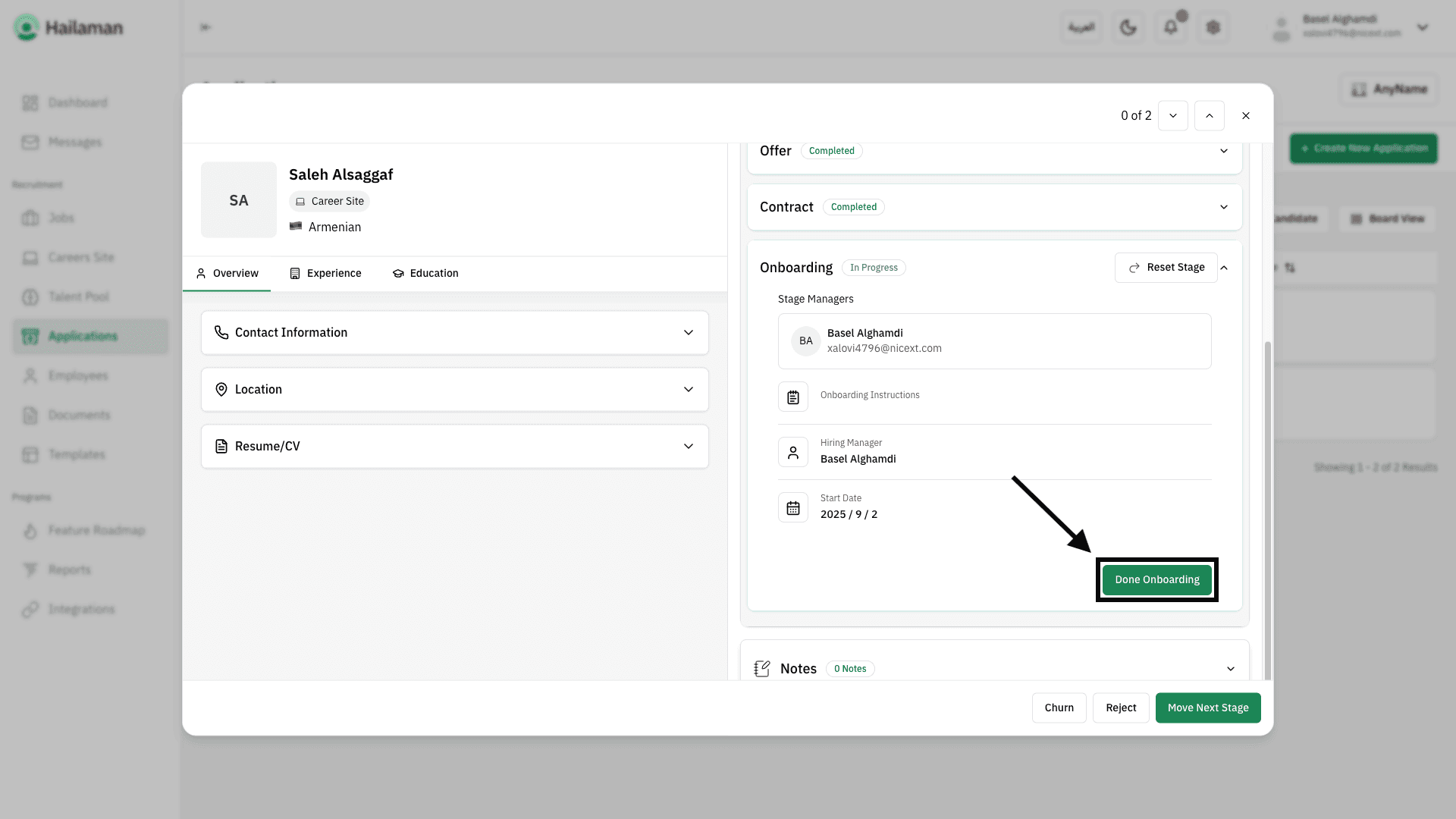
In the “Onboarding” stage, you can assign someone to prepare the new hire, completing all procedures and requirements for starting their role.
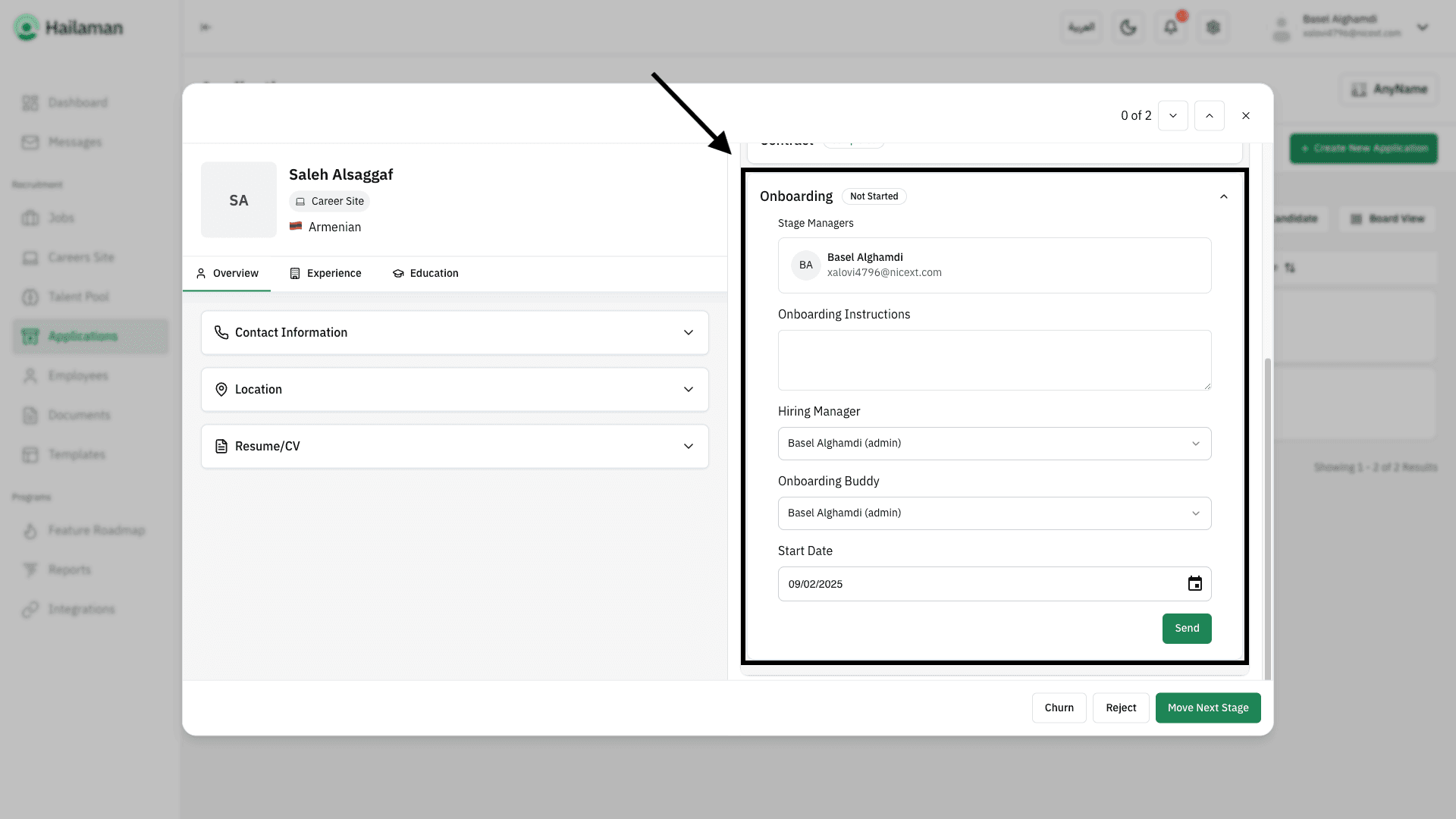
Finally, by clicking on “Joined”, you can move the applicant from the “Onboarding” stage to the end of their hiring journey, marking the start of their professional journey with the company.
🎉 Congratulations, you have successfully completed the hiring process!
Join Us Hailaman ATS
Any other questions? Get in touch